GETTING STARTED
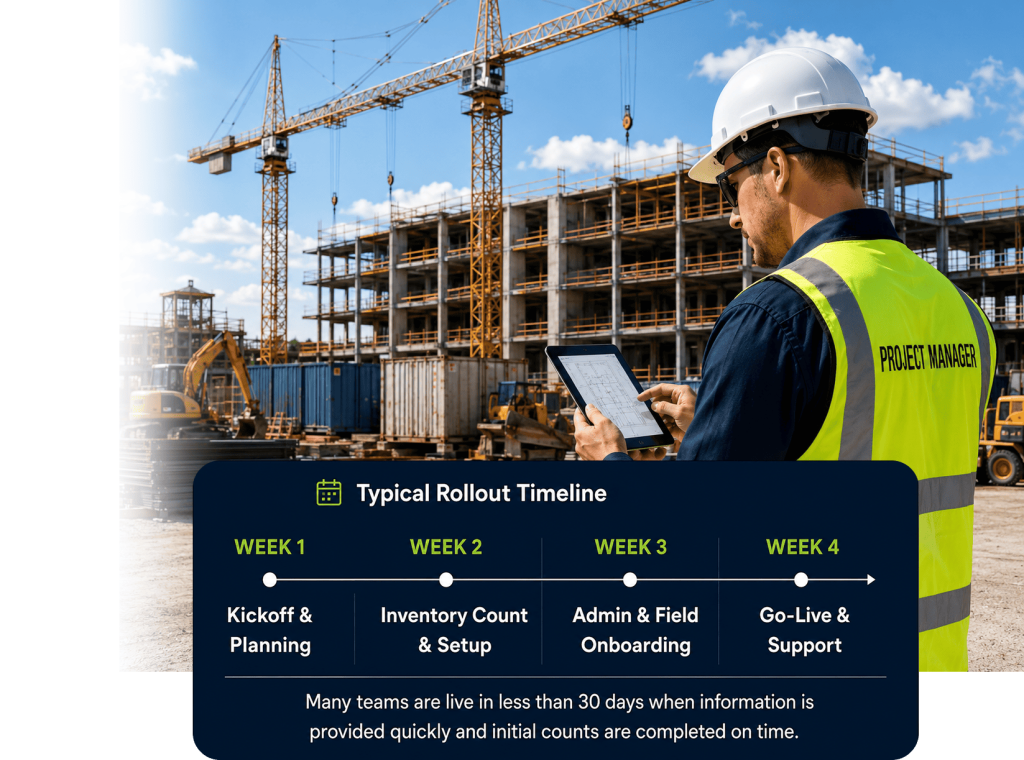
Get Inventory DI live in 30 days or less.
A clear onboarding process.
A fast start. Real results.
We guide your team from kickoff to go-live with proven steps — including inventory counts, admin setup, field training, and rollout support.
Proven Process
30 Days or Less
Hands-On Training
Go-Live Support
WHAT ONBOARDING LOOKS LIKE
Kickoff & Planning

We meet with your team to understand your operation, inventory flow, and goals — then build your rollout plan.
We cover:
- Warehouses
- Trucks / Rolling Annexes
- Conex boxes & field storage
- Jobs / Locations
- Admin & Field Users
- Rollout plan & timeline
Initial Inventory Count

We help you establish the starting record so your data is accurate from day one.
This usually includes:
- Warehouse count
- Rolling Annex / truck count
- Conex / field storage count
- Product list cleanup or import
- Beginning quantities
Admin Setup
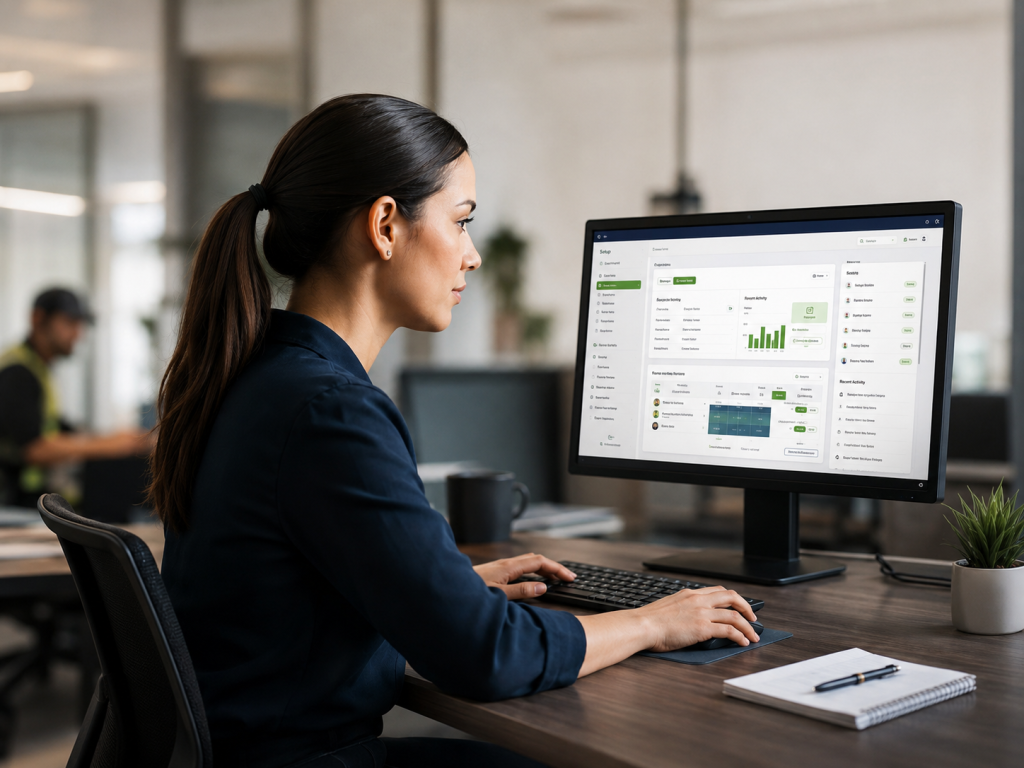
We configure the system and train your admin team to run it with confidence.
This includes:
- IOS & Google Play company setup
- Web Admin setup
- User Roles & Permissions
- Locations & Inventory structure
- Admin training
- Reports overview
Field Orientation

We orient your field personnel, then train them using a real truck or location.
Typical training includes:
- Mobile app overview
- Viewing assigned inventory
- Issue, returns & handoffs
- Live inventory count
- Questions & best practice
Then your team inventories their own trucks and locations so adoption starts immediately.
Go-Live & Support

Your team goes live and starts seeing visibility from day one. We stay with you.
Go-live support includes:
- Final verification
- First-day support
- Follow-up questions
- Cleanup adjustments
- Early usage review
Kickoff & Planning
We meet with your team to understand your operation, inventory flow, and goals — then build your rollout plan.
We cover:
- Warehouses
- Trucks / Rolling Annexes
- Conex boxes & field storage
- Jobs / Locations
- Admin & Field Users
- Rollout plan & timeline
Initial Inventory Count
We help you establish the starting record so your data is accurate from day one.
This usually includes:
- Warehouse count
- Rolling Annex / truck count
- Conex / field storage count
- Product list cleanup or import
- Beginning quantities
Admin Setup
We configure the system and train your admin team to run it with confidence.
This includes:
- IOS & Google Play company setup
- Web Admin setup
- User Roles & Permissions
- Locations & Inventory structure
- Admin training
- Reports overview
Field Orientation
We orient your field personnel, then train them using a real truck or location.
Typical training includes:
- Mobile app overview
- Viewing assigned inventory
- Issue, returns & handoffs
- Live inventory count
- Questions & best practice
Then your team inventories their own trucks and locations so adoption starts immediately.
Go-Live & Support
Your team goes live and starts seeing visibility from day one. We stay with you.
Go-live support includes:
- Final verification
- First-day support
- Follow-up questions
- Cleanup adjustments
- Early usage review
WHAT WE NEED FROM YOUR TEAM
- A primary point of contact
- List of warehouses, trucks & storage locations
- Initial user list (admins & field users)
- Time scheduled for admin onboarding
- Time scheduled for field orientation
- Access to perform initial inventory counts
The more complete the information, the faster we get you live.
WHO SHOULD BE INVOLVED
Operations Lead
Sets direction and priorities
Inventory / Warehouse Lead
Manages inventory counts and accuracy
Company Admin
Runs the system and manages users
Field Coordinators / Truck Custodians
Use the system daily in the field
Anyone Responsible for Counts
Helps establish accurate starting records
WHAT YOU GET
- Accurate starting inventory
- Clear accountability
- Real-time visibility
- Audit-ready records
- Stronger compliance
- Less lost
- less waste
A system your field will use and your management will trust.
We make onboarding simple.
You get the visibility that lasts.
From kickoff to go-live, we’re with you every step of the way.